.png)
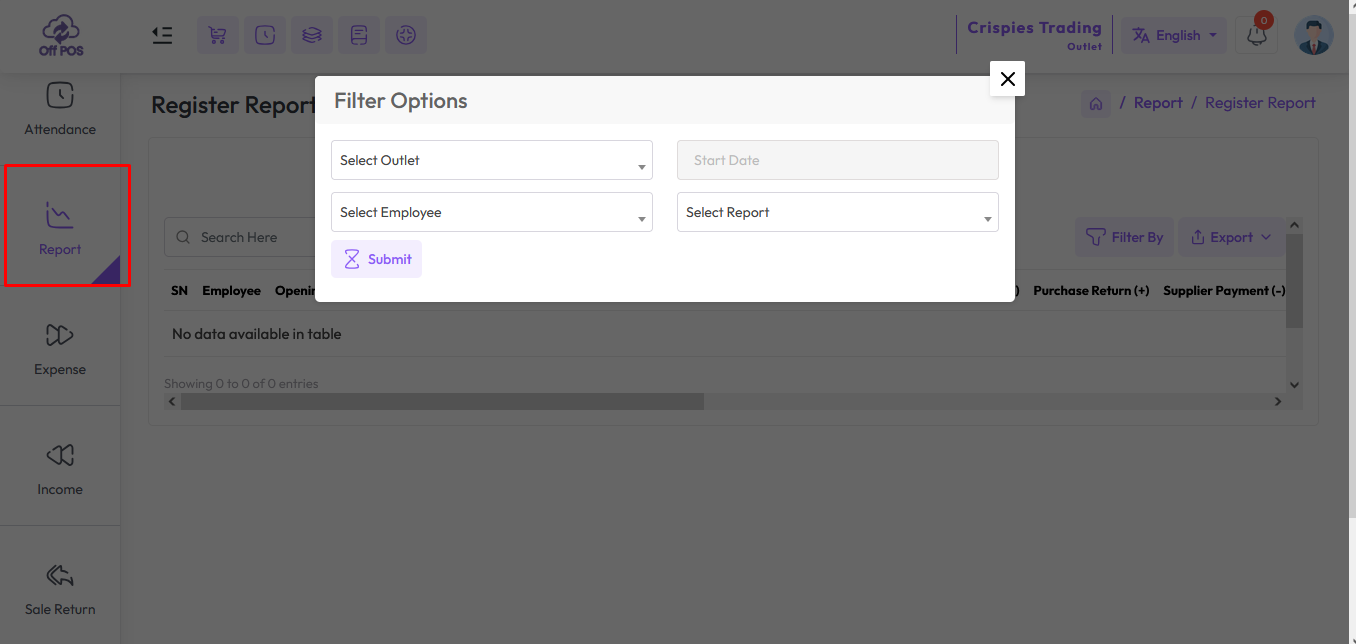
To view the "Register Report" expand the "Report" menu from the left sidebar and click on the "Register Report" menu.
Registers play a vital role in streamlining the checkout process, improving customer service, and maintaining accurate records of sales activities in retail environments. They serve as the frontline interface between businesses and their customers, facilitating efficient and secure transactions while enabling businesses to track sales performance and make informed decisions.
The register consists of an opening ledger and a closing ledger. So that the register can keep track of how much is left after buying and selling.
- Select an employee from the Employee field.
- After selecting the employee, you will see all the reports of this employee on the right side.
Note: All reports that have been closed will appear in the report list. Open registers will not appear in register list.
How to Close Register?
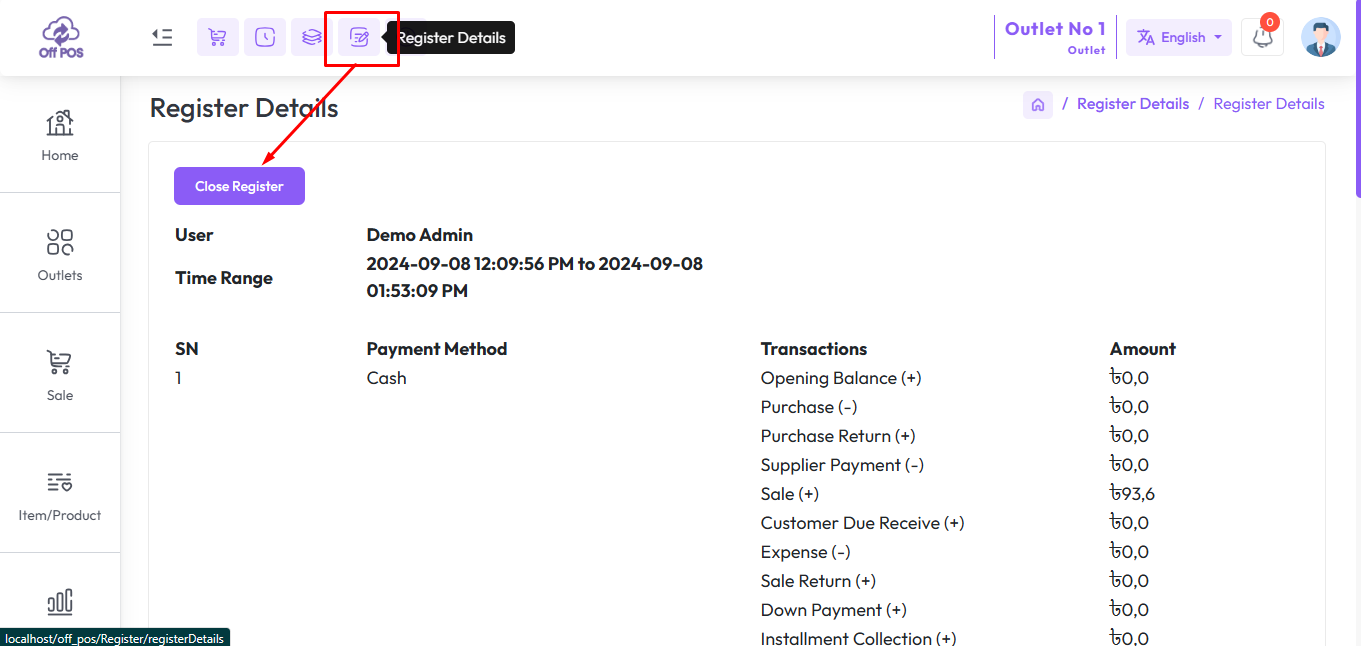
Click the Register Details button, if the register is open you will see an interface similar to the snapshot below, and click Close Register. If the register is open then you won't see such an interface.
Was this page helpful?
Thank you for your feedback!
Please Login First
In publishing and graphic design, Lorem ipsum is a placeholder text commonly used to demonstrate the visual form of a document or a typeface without relying on meaningful content. Lorem ipsum may be used as a placeholder before final copy is available.
Helpdesk - AI Powered Customer Support Portal and Knowledgebase System
Comments (00)